Coordinates and map services
A coordinate can be written three ways. WGS-84 is what GPS, phone photos, and GPX files record, and it is what your notes hold. GCJ-02 and BD-09 are the coordinates Chinese map providers publish, shifted a few hundred metres. This page covers lining the two up, and the services that read or write a coordinate.
Coordinate systems
Section titled “Coordinate systems”Your notes and track files stay WGS-84. Auto recognises common Chinese tile hosts and converts only at the map’s edge, so your pins land on the roads the basemap draws. Set a default for every map, or override it per map view, when a proxy URL hides which provider you are using.
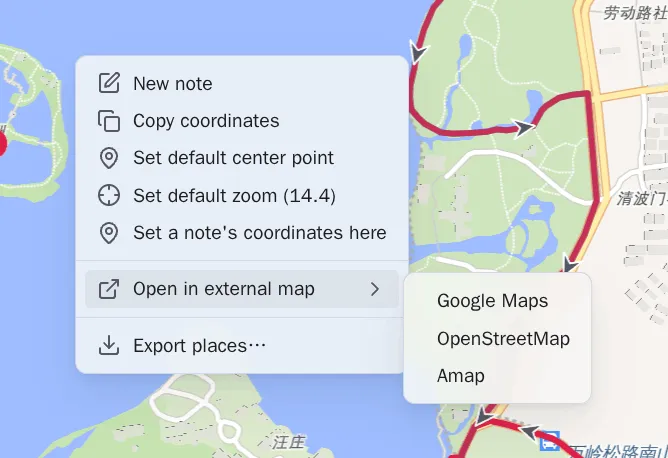
Open a spot in another map app
Section titled “Open a spot in another map app”Right-click a map — long press it on a phone — and choose Open in external
map. Amap, Baidu, Tencent, Google, Apple Maps, and OpenStreetMap each receive
the coordinate system they expect. You can reorder the providers or disable them,
and add your own with a URL template using {lat} and {lng}:
https://ul.waze.com/ul?ll={lat},{lng}&navigate=yes WGS-84https://www.bing.com/maps?cp={lat}~{lng}&lvl=16 WGS-84om://map?v=1&ll={lat},{lng} WGS-84Offer external maps, at the top of that page, turns all of it off at once. Right-clicking a map then offers no external app, and the order you arranged and the providers you disabled are kept for when you want them back.
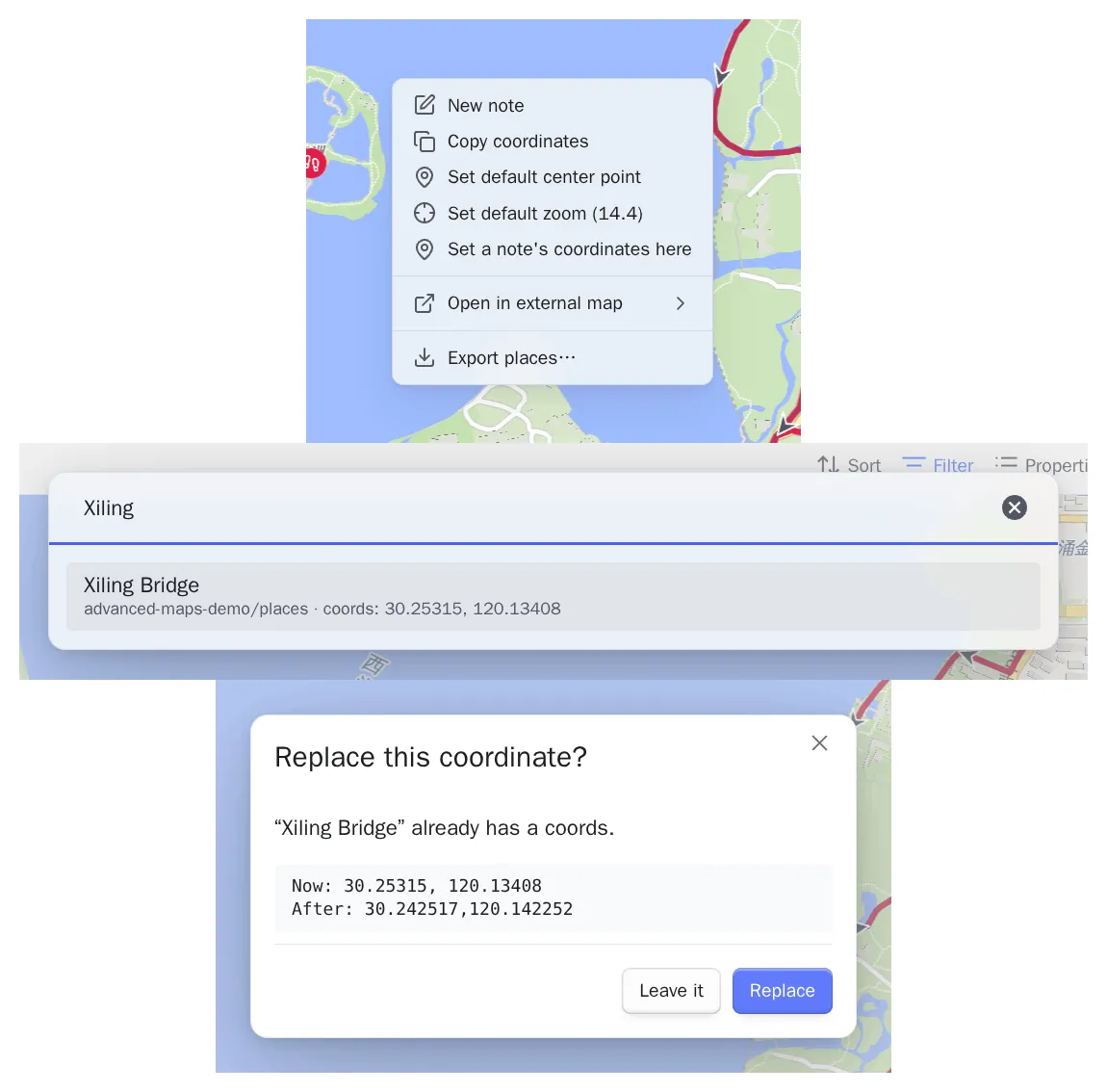
Place a note you already wrote
Section titled “Place a note you already wrote”The map’s own menu can create a note where you clicked. Set a note’s coordinates here is the other half: you wrote the note months ago, without a coordinate, and you are looking straight at where it belongs.
Right-click the spot — long press it on a phone — choose it, and pick the note. Each row shows the note’s folder and, if the note already has a coordinate, the value it holds, so you can check a close match before you take it. Choosing a note with no coordinate writes at once. Choosing one that already has a coordinate shows the old value and the new one first, because a frontmatter edit has no undo.
Your templates are left out of the list. The list skips the folder the core Templates plugin names, because a coordinate written into a template would land in every note stamped from it afterwards.
Only the coordinate property is written. If the note is not in that map’s own query, its pin will not appear. That is your Base’s filtering, not a failure, and the notice names the note and the value either way.
Turn Set a note’s coordinates from the map off under settings → Map buttons and menu and the map’s menu drops the item. The rest of the menu is unchanged, down to the coordinate it hands the items that stay.
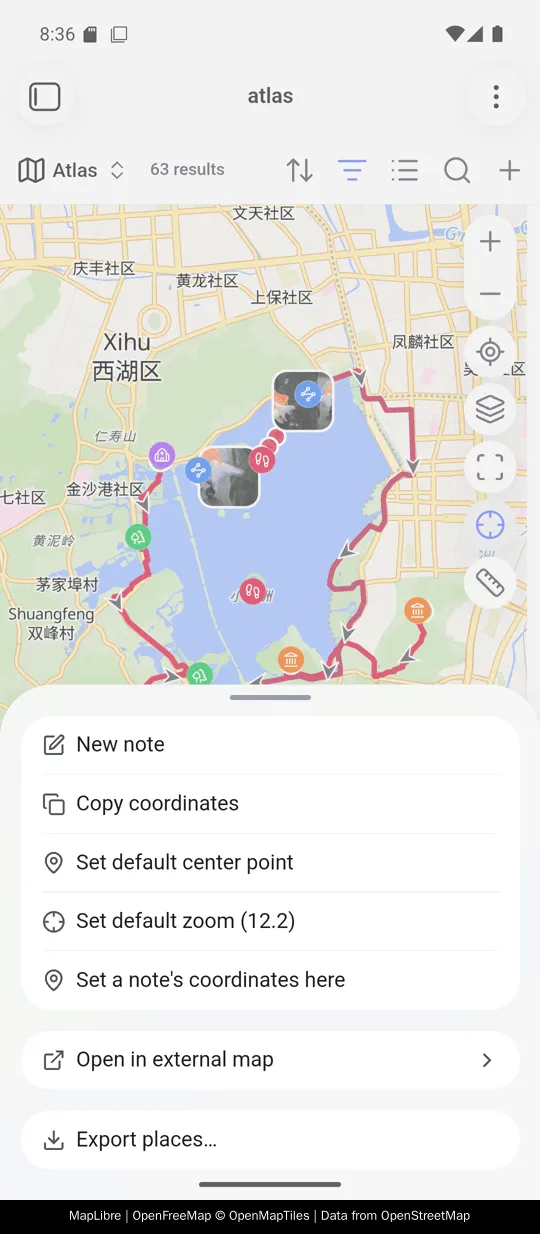
On a phone the same menu opens on a long press, as a sheet from the bottom of the screen. Everything this guide asks you to right-click a map for is in it: Set a note’s coordinates here, Open in external map with its list of providers, and Export places….
Set coordinates from a map link
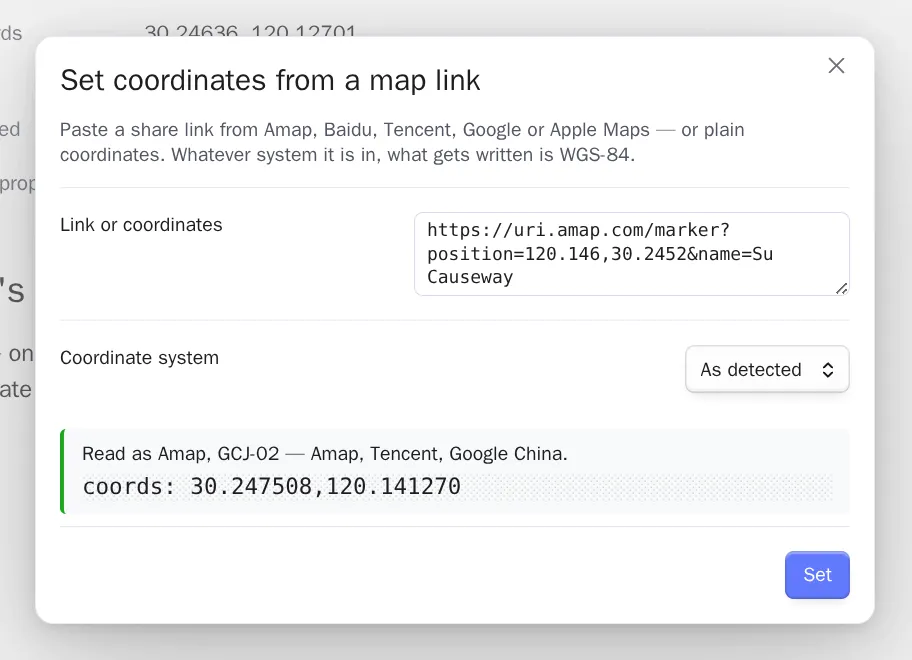
Section titled “Set coordinates from a map link”Set coordinates from a map link reads the share links of common Chinese and
international map apps, geo: URIs, Plus Codes, degrees/minutes/seconds, and a
plain lat,lng. It shows you the result before writing, and always writes WGS-84.
A Plus Code — 8FVC9G8F+6W, on its own or as a plus.codes link — is read as
WGS-84, which is the coordinate system the format is defined on. A code that names
no single place is refused, with the reason. A short code such as 9G8F+6W has
dropped the digits that say which part of the world it is in, and a padded one
such as 8FVC0000+ stands for a region kilometres across.
Search and reverse geocode
Section titled “Search and reverse geocode”- Search for a place and set coordinates looks a place up and writes its coordinate. It uses an open worldwide provider, or Amap with your own key.
- Fill place name from coordinates does the reverse: it turns the coordinate you are looking at into an address, in the place property you configured.
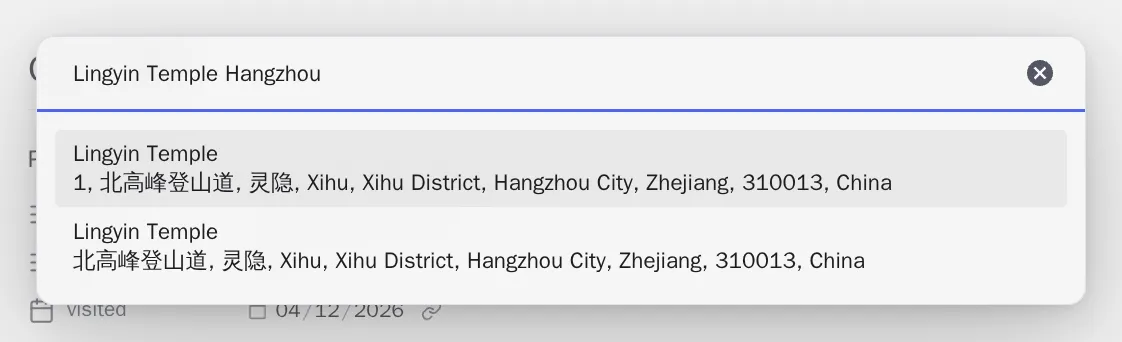
Both send a query to the provider you selected. See Reference and privacy for exactly what leaves your vault and where a provider key can be stored.
Device location
Section titled “Device location”Fill coordinates from current location asks your operating system where you
are, on desktop and on mobile, so no key or account is involved. With Use device
location on, an empty coords: property can be filled automatically. An existing
value is never overwritten.
Skip these folders lists the paths that are never stamped. It starts as
templates and suggests folders from your vault as you type. Empty the list and
nothing is skipped.